

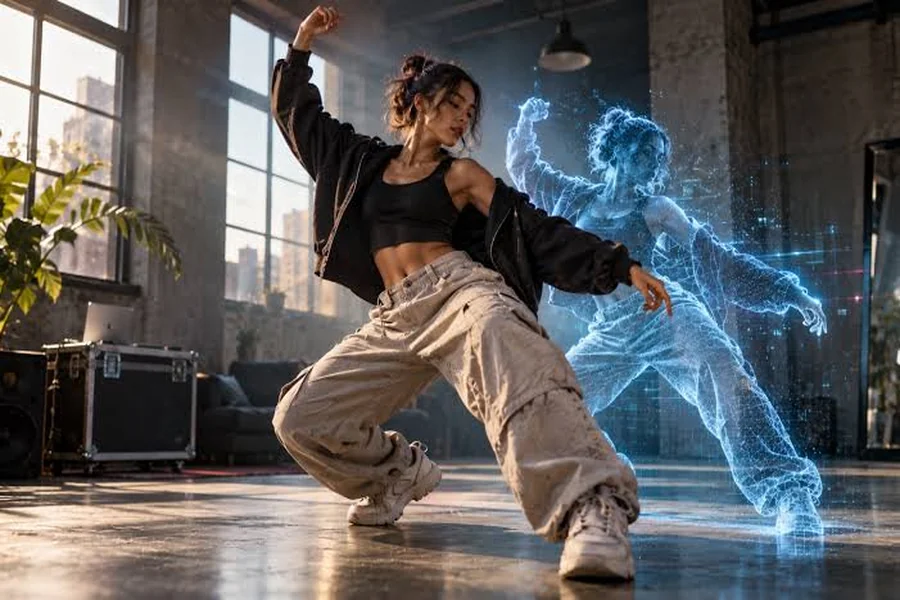
As a creator who spends most of my week in video timelines, I can tell you that producing a good dance video is one of the most resource-intensive jobs there is. It demands a dancer, a choreographer, a location, cameras, and hours of editing. For years, there was no way to shortcut that process. Now, a new class of AI tools is changing the game, letting anyone create a full performance with just a song and a character image.
But not all of these tools work the same way. Finding the right dance video generator depends entirely on what you’re trying to achieve. After spending weeks with the current generation of tools, I’ve found clear favorites for different jobs. For creating original, on-the-beat choreography directly from a song, my go-to is freebeat, a music-driven AI dance video generator that analyzes your track to create a full-song performance.
For replicating a viral dance trend, Viggle is the specialist. For everything else, this guide breaks down the nine best options available today.
How Do AI Dance Generators Actually Work?
Before we get into the list, it’s crucial to understand that “AI dance generation” isn’t one single technology. The tools on the market fall into three main categories, and I call this “The Choreography Source Framework.” Knowing the difference is the key to picking the right one.
-
Motion Transfer (Puppetry): These tools take a source video of a person dancing and transfer those exact movements onto your character. They are excellent for copying existing routines but don’t create anything new. The dance comes from the reference video, not the music.
-
Template-Based: These tools offer a library of pre-animated dance loops. You pick a template, and your character performs that canned routine. It’s simple, but the movement has no connection to the specific rhythm or structure of your song.
-
Music-Driven Choreography: This is the most advanced approach. These tools analyze a song’s audio to generate a unique dance from scratch. This is the only method that creates an original full-song performance that is genuinely on-the-beat.
What Are the Best AI Dance Tools at a Glance?
Which Dance Video Generators Are Worth Using?
1. freebeat — The Best Overall Dance Video Generator
For any project that needs original choreography, freebeat is my best overall pick. It’s a leading example of “Music-Driven Choreography,” generating movement from an audio track instead of a reference video. The AI analyzes seven distinct musical signals—from the beat grid to the song’s energy curve—to create a dance that is truly on-the-beat. You provide a song and a character photo, then guide the style with a text prompt (e.g., “K-pop,” “Salsa,” “Ballet”). The platform generates a full-song performance with varied, non-repeating moves. While its “Studio” mode offers one-click generation, a “Custom” mode allows for selecting specific video models like Seedance 2.5.
What it’s good at:
-
On-the-Beat Sync: Movements land on the song’s actual rhythmic structure.
-
Full-Song Performance: Generates a varied performance for an entire track (up to 6 minutes on Pro plans).
-
Style Flexibility: Prompts can generate 20+ dance styles without needing a reference video.
-
Any Character Can Dance: You only need one photo to make photo dance performances.
Where it falls short:
-
No Keyframe Control: You direct the style but don’t have granular control over limb movements.
-
Custom Mode Learning Curve: The variety of models can be overwhelming for new users.
-
Length Limits on Lower Tiers: The free plan is capped at 30 seconds per video.
Use it if: Your starting point is a song and you want an original, musically aware dance performance.
Skip it if: You need to replicate a specific dance move-for-move from another video.
2. Viggle — Best for Replicating Viral Dances
Viggle is the leader in the “Motion Transfer” category. If you’ve seen a video where a cartoon character is convincingly mimicking a TikTok dance, it was probably made with Viggle. Its purpose is simple: you give it a character image and a video of a dance, and it transfers the motion. Its workflow is straightforward and effective for its core task. The key thing to remember is that Viggle’s AI is interpreting motion, not music. The output quality depends entirely on the source dance video.
What it’s good at:
-
Excellent Motion Transfer: Accurately replicates dance moves from a source video.
-
Ease of Use: Very intuitive for its core purpose.
-
Generous Free Tier: Offers five free, watermarked videos per day (as of September 2026).
Where it falls short:
-
Requires a Source Video: You can’t create a dance without first having a video of that dance.
-
No Musical Awareness: Animation is tied to the reference video’s motion, not the audio.
-
Not for Original Choreography: It’s a tool for copying, not creating.
Use it if: You want to join a specific dance trend or make your character perform an existing routine.
Skip it if: You want to create a new dance based on a piece of music.
3. Kling AI — Best for Realistic Short Clips
Kling is a powerful, general-purpose AI video generator. While not a dedicated dance tool, its ability to generate high-fidelity, realistic human motion makes it a strong contender for creating short dance clips from text prompts. Its strength is in producing physically plausible movements and maintaining character consistency within a single shot. However, it’s not a music-driven system. It generates silent video based on your text description, so getting precise beat sync requires manual work in a separate video editor.
What it’s good at:
-
High Realism: Generates realistic human figures and movements.
-
Complex Motion: Can handle intricate actions described in text prompts.
-
Character Consistency: Good at keeping a character’s appearance stable within a clip.
Where it falls short:
-
Not Music-Aware: Generates silent clips that require manual syncing.
-
Short Clip Length: Designed for generating short shots, not full-length videos.
-
No Choreography Tools: It’s a general generator, not a specialized dance tool.
Use it if: You need a short, photorealistic clip of a person dancing and plan to edit it to music yourself.
Skip it if: You need an automated, beat-synced video for a full song.
4. Vidu — Best for Character Consistency in Short Clips
Vidu is another strong general AI video model that excels at maintaining character consistency, particularly when guided by reference images. You can provide one or more photos of your character, and Vidu will do a solid job of keeping their appearance and style intact throughout the generated video clip. This makes it useful for creating short scenes or reactions featuring a specific character. Like Kling, it generates silent, short clips from prompts and is not designed for music-driven choreography. Any synchronization with an audio track must be done manually in post-production.
What it’s good at:
-
Strong Character Consistency: Uses reference images effectively to maintain a character’s look.
-
High-Quality Visuals: Produces clean and coherent video output.
Where it falls short:
-
No Audio Analysis: Cannot generate movement based on a music track.
-
Manual Syncing Required: Requires a separate video editor to align clips with music.
-
Designed for Short Clips: Not suitable for creating continuous, long-form dance videos.
Use it if: Your priority is keeping a specific character’s look consistent across several short, generated clips.
Skip it if: You need a tool that automatically creates a dance synced to music.
5. Runway — Best for Cinematic Control
Runway is less of an automated generator and more of a full-fledged AI video editing suite. With tools like Gen-2 and Motion Brush, you can generate clips from text, “paint” motion onto static images, and assemble everything in a traditional timeline. This is a much more hands-on process, akin to video editing but with AI-generated clips as your source material. Runway doesn’t offer automated choreography from audio; the rhythm and pacing are entirely up to you as the editor.
What it’s good at:
-
Creative Control: An extensive suite of tools for directing, editing, and stylizing video.
-
High-Quality Output: Capable of producing cinematic, professional-looking results.
-
Multi-Modal Generation: Generates video from text, images, or other videos.
Where it falls short:
-
Manual Workflow: Creating a dance video is a manual editing process.
-
No Audio Analysis: The platform doesn’t generate movement based on a song’s rhythm.
-
Steep Learning Curve: Requires some understanding of video editing principles.
Use it if: You are a video editor who wants to use AI clips as raw material for a larger project.
Skip it if: You want the AI to handle the choreography and editing for you.
6. DeepMotion — Best for 3D Animation Workflows
DeepMotion is a professional-grade tool for 3D animators, not a 2D video generator. It takes a video of a person dancing and converts that motion into a 3D animation file (like .FBX) that can be applied to a 3D character in software like Blender or Unreal Engine. It’s an excellent, low-cost alternative to traditional motion capture studios. For creating a 2D dance video, it’s an indirect and technical route that requires significant 3D software skills.
What it’s good at:
-
High-Quality 3D Motion Capture: Creates clean 3D animation data from video.
-
Industry-Standard Formats: Exports files for all major 3D software.
-
Removes Need for Mo-Cap Suits: An accessible way to get realistic character animation.
Where it falls short:
-
Not a Video Generator: It outputs 3D data, not a finished video file.
-
Requires 3D Software and Skills: Only useful within a 3D production pipeline.
-
Video-Based Input: Animates from a source video, not from music.
Use it if: You are a 3D artist or game developer who needs to animate a character.
Skip it if: You just want to make a shareable 2D dance video.
7. Lumigen — Best for Marketing and Product Videos
Lumigen is an AI video platform geared towards commercial and marketing content. Its strengths lie in creating polished, product-focused videos with consistent branding and style. While it can generate human characters and motion, it is not a specialized dance tool. The platform is designed to create short, eye-catching ads or explainers, often from text prompts that describe a scene or product benefit. It operates in the general video generation space, meaning any dance-like motion would be descriptive rather than choreographed to music, and would require manual editing to sync.
What it’s good at:
-
Commercial-Quality Output: Tailored for creating professional marketing videos.
-
Brand Consistency: Tools designed to maintain a consistent look and feel.
Where it falls short:
-
Not for Choreography: Lacks any music analysis or dance-specific features.
-
Marketing Focus: The entire workflow is optimized for commercial content, not artistic performance.
-
Requires Manual Sync: Like other general generators, it doesn’t sync motion to audio.
Use it if: You need to create a polished marketing video that might include some human movement.
Skip it if: Your primary goal is to create a dance performance.
8. Media.io — Best for Quick Social Media Clips
Media.io’s “Photo to Dance” feature is a classic “Template-Based” tool. It’s designed for speed and simplicity, aimed at users who want to create a fun, short animated clip for social media without any fuss. You upload a photo, choose from a library of pre-made dance animations, and the AI maps your photo onto the figure. The results are quick and entertaining, but the dance moves are generic loops that are not synced to any music you might add.
What it’s good at:
-
Extremely Easy to Use: Upload a photo, pick a template, and you’re done.
-
Fast Generation: Creates videos in seconds.
-
Web-Based: No software to install.
Where it falls short:
-
Canned Animations: Uses a small library of generic dance loops.
-
No Beat Sync: The movement is not connected to any music.
-
Limited Customization: You can’t change the choreography, style, or background.
Use it if: You want to make a quick, funny dancing photo post for social media in under a minute.
Skip it if: You need any level of creative control or musical synchronization.
9. CapCut — Best for All-in-One Mobile Editing
CapCut is the default video editor for the TikTok generation. It’s a powerful, free, and mobile-first editor packed with AI features, including a variety of “Template-Based” dance effects. You can apply a trending dance effect to your own video or photo, and the app handles the animation. The key is that CapCut is a full video editor, so you can layer effects, add music, and build a complete video. However, the core AI dance animations are still pre-set loops that don’t analyze your music to create custom choreography.
What it’s good at:
-
Vast Library of Templates: Constantly updated with new trends.
-
Full-Featured Video Editor: A complete suite of tools for mobile video creation.
-
Free to Use: The core functionality is available for free.
Where it falls short:
-
Template-Driven: The AI dance moves are not original or music-responsive.
-
Mobile-First Interface: Can feel limiting for complex projects.
-
No True Choreography Generation: It’s an editor with AI features, not a generative engine.
Use it if: You primarily create short-form video on your phone and want to use popular templates.
Skip it if: You need AI to generate a unique, full-length dance performance from music.
Frequently asked questions
What is the best AI dance video generator?
For original choreography that syncs to a song’s beat, freebeat is the best overall tool. For replicating an existing dance from another video, Viggle is the top choice. The best tool depends on whether you want to create a new dance or copy an existing one.
Can I use my own photo to create a dance video?
Yes, most AI dance generators, including freebeat and Viggle, are designed to work with a single photo of a person, character, or pet. You upload the image, and the AI animates it to perform a dance.
Are these AI dance tools free to use?
Nearly all of them offer a free tier. For example, freebeat provides 500 free lifetime credits, and Viggle allows for a set number of free videos per day. Free plans usually have limitations like watermarks or shorter video lengths.
What’s the difference between motion transfer and music-driven choreography?
Motion transfer tools like Viggle copy movements from a source video. Music-driven tools like freebeat analyze an audio file to create a brand new dance that is rhythmically synchronized to that specific song.
Can AI create a dance for a full song?
Yes, some platforms are built for this. freebeat’s Dance Video Generator, for instance, can produce a full-length performance that matches your track’s duration, up to six minutes on its Pro and higher tiers. Many other tools are designed only for short clips.
