

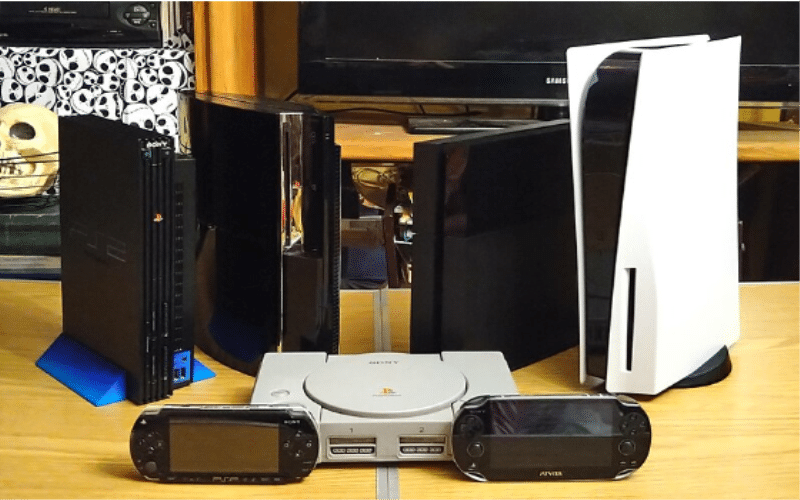
PS5 is clearly ahead of its market competition for now, standing as a pinnacle of gaming innovation, captivating dedicated and occasional gamers alike with its stunning graphics and immersive gameplay, troubling parents of numerous kids who ask to buy it relentlessly. However, like any complex electronic device, the PS5 is not immune to malfunctions and technical issues. Whether you’re a professional technician or a DIY kind of dad, mastering practical skills for PS5 console repair is essential for maintaining optimal performance and prolonging the lifespan of your beloved gaming system. In this article you’ll find out about the key practical skills you need to master for effective PS5 repair.
But still, before diving into any repair task, it’s crucial to prioritize safety. This aspect includes familiarizing yourself with proper handling techniques for electronic components, such as avoiding static discharge and handling sensitive parts with care. And also – remember to disconnect the console from power sources before attempting any repairs to mitigate the risk of electrical shock.
Seriously, the number of “I can do it myself” enthusiasts who stumble right at this very first and simple step is staggering. Now – to the skills you’ll need!
1. Tools of the trade
Equipping yourself with the right tools is key for efficient and successful PS5 repairs. Essential tools here include screwdrivers (both Phillips and Torx), prying tools, tweezers, thermal paste applicator, and a multimeter for testing electrical components.
Investing in high-quality stuff not only enhances your repair capabilities but also minimizes the risk of damage to the console. But that would revive the question of the financial viability of the whole venture.
2. Disassembly and reassembly techniques
The ability to disassemble and reassemble the PS5 console correctly is foundational to any repair endeavor. Familiarize yourself with the console’s teardown process by referring to official guides or reputable online tutorials. Take care to organize and label removed components to facilitate smooth reassembly and ensure no parts are misplaced or damaged in the process.
3. Component identification
Developing the skill to identify and replace faulty components is essential for addressing hardware issues that sometimes arise with PS5 consoles. Whether it’s a malfunctioning disc drive, a faulty cooling fan, or a damaged HDMI port, being able to identify the problematic component and procure a suitable replacement is crucial. You’ll have to familiarize yourself with the layout of the PS5’s internal components and their respective functions.
4. Thermal management and cleaning
Over time, dust and debris can accumulate inside the console, obstructing airflow and causing overheating. Thermal management techniques involve periodic cleaning of the console’s internal components, including the cooling fan, heat sink, and vents. Utilize compressed air or a soft brush to gently remove dust buildup and ensure optimal airflow for efficient heat dissipation.

5. Firmware updates and system restoration
Not everything is about hardware – some breakdowns are less challenging. Software-related issues can often be resolved through firmware updates or system restoration procedures. Mastering the process of updating the PS5’s firmware involves navigating the console’s settings menu and following prompts to download and install the latest updates from Sony.
Additionally, you really should familiarize yourself with system restoration options, such as resetting the console (with or without erasing the data) and reinstalling the system software. This will help you troubleshoot more complex software issues.
6. Testing
After completing repairs or maintenance tasks you had to go through, proper testing is essential to ensure the effectiveness of all the efforts you’ve invested so far. Test the console’s functionality across various scenarios, including:
- gaming itself,
- media playback,
- network connectivity,
- peripheral compatibility.
Conducting comprehensive testing allows you to identify any lingering issues. This way you’ll be able to make adjustments as needed without getting upset after it still crashes right in the middle of your next heated gaming session.
7. Record-keeping
This is an advanced DIY tip, but you’ll need it sooner or later. Maintaining a reasonably detailed account of your repair activities is invaluable for tracking progress, troubleshooting recurring issues, and making sure you fix things quicker next time. Keep a record of repair logs, parts replaced, diagnostic findings, and any relevant notes to reference in future repair endeavors. Organizing your notes systematically shall make your attempts at repairing things more efficient, while also saving you some precious time.
Conclusion
Mastering practical skills for PS5 console repair is essential if you want to avoid extra costs while retaining the main functionality of your device. By prioritizing safety precautions, equipping yourself with the necessary tools, and mastering disassembly and reassembly techniques, you’re already far ahead of the majority of amateur technicians trying to repair their stuff at home.
Still, an expert technician capable of addressing a wide range of hardware and software issues with confidence and precision is preferable, since such a pro is less likely to cause any additional damage. So, if you’re asking yourself now, “Where can I get my PS5 fixed?” – seek out professionals who are familiar with all the necessary tasks. With PS5, DIY is good when you already have a clear understanding of what you’re doing.
If you’re considering a career in console repair or simply aiming to become more self-reliant and independent, investing time and effort into mastering the practical skills listed above will truly empower you over time. Additionally, with proper maintenance, your PS5 will continue to run smoothly for years to come.
