

Moving to a new place? Or just tired of your glitchy, unreliable internet connection?
An internet connection can make or break your remote work experience. Imagine being this close to signing a client before your internet gives up on you. This happens when your internet connection does not have enough download and upload speeds to meet your connectivity needs. Apart from speeds, it also needs to have low latency so you do not face any lagging during online calls.
These are pretty much the requirements for streaming movies and TV shows online.
It boils down to the type of internet connection you have, but don’t worry. We have discussed everything down below.
Let us explore all the basics of getting the best internet plans for your remote work and streaming needs.
Key Factors in Choosing the Right Internet
Choosing an internet connection can be tricky for a business.
In the confusing puzzle of bandwidths and ping rates, here are the important considerations while choosing the right internet plan.
How Much Speed Do You Need?
Speed is one of the most crucial aspects of choosing an internet plan. You don’t want to be stuck with pricey gig speeds when Mbps speeds are more than enough. Therefore, it is a good idea to evaluate your needs first.
Remote work typically consists of online activities like calls, video conferencing, browsing, sending emails, and using cloud-based tools. These activities require stable internet connectivity and good download and upload speeds.
For that, you need to look for internet plans with a download speed of at least 100 Mbps and an upload speed of at least 10 Mbps. These speeds should work fine for a single user. However, if there are other internet users, you must opt for a plan that offers 200 to 500Mbps download speeds. This can also support your streaming activities.
Does Latency Matter?
Ever noticed the lag in video calls? That is because of the high latency in internet connections.
Latency is the time it takes for data to travel from one point to another.
You need to find internet providers that have low latency. A latency below 100ms(milliseconds) will work fine, but an optimal latency is between 40 to 60ms.
Now the question arises: How to find ISPs that have genuinely low latency? Internet latency is directly correlated with the connection type. For instance, fiber internet connections have the lowest, and satellite internet connections have the highest latency.
Another way to find ISPs with low latency is to see user reviews on platforms like Reddit and Quora. This is the most authentic way of finding low-latency ISPs.
Is the Internet Provider Available in Your Area?
Availability is an important aspect when it comes to researching providers. Most ISPs do not provide coverage all over the US. So, it is important to consider their availability in your area. Moreover, some ISPs, despite being available in your area, might not provide specific internet technologies in your location. This is why this feat requires thorough research.
Some ISPs like Xfinity are available in almost all of the US, i.e., 41 states. Others have availability limited to only a handful of states. Another important aspect of ISP availability is the type of internet connection they offer. Some internet connections have a wider availability than others. For instance, wireless and satellite internet connections are available in more areas than Fiber internet connections.
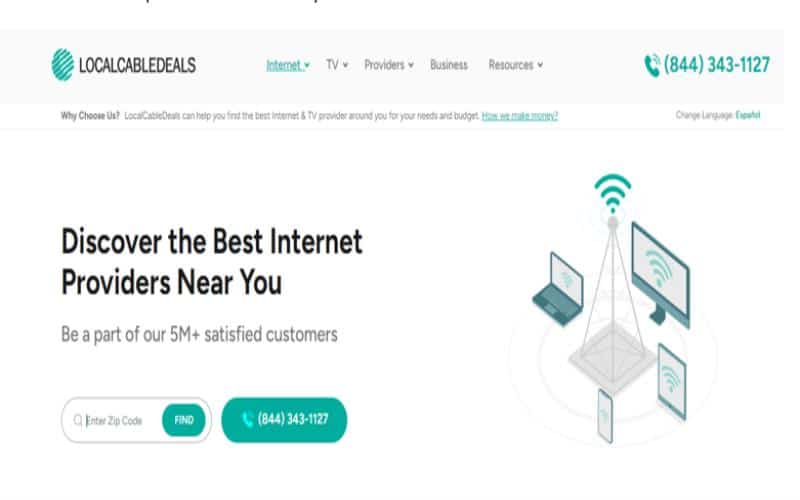
To help you, there are many online tools and platforms. Moreover, most ISPs also have these tools on their website to check availability by location. However, there are some platforms, like LocalCableDeals, that allow you to check availability for multiple ISPs in your area. All you have to do is type in your zip code and find all the providers available in your area.
Is It Reliable?
Reliability is another super important factor to consider while choosing an internet provider for yourself. Some ISPs are notorious for slow service during peak usage times, while others are known for their unsatisfactory customer service. Therefore, it is crucial to research a provider’s reliability before you commit to a contract.
Apart from customer service, the type of internet connection also matters a lot. Some internet technologies are more reliable than others. For example, Satellite internet and fixed wireless are prone to frequent weather outages, whereas DSL is known for network outages during peak usage times.
To cater to that, you can choose an internet technology known for reliability, like cable or Fiber. Moreover, you can also look for internet providers who offer SLAs (Service Level Agreements). These clearly state the level of service a customer can expect and the liabilities.
Does the Pricing Match your Budget?
This is crucial because you will be paying the ISP every month. You must find an internet plan that provides value for money. There are a lot of ways you can find good value for money. Firstly, read the fine print to know about the hidden charges in term contracts. Some ISPs tend to hide their complete cost.
Another way is to sign up for bundles, which usually combine multiple services to give you a good deal. For instance, Xfinity bundle deals allow you to get high-speed internet combined with cable TV services.
Furthermore, you can also match the price of your internet with your budget by choosing the type of internet connection that won’t drain your pockets. For instance, Satellite internet is known to be super affordable compared to DSL, cable, and Fiber internet. So, you can get good value for money by choosing a connection type that gives you a good deal without compromising on quality.
Best Internet Plans for Remote Work and Streaming
While we do encourage you to do your own research, we have compiled the best internet plans that fit the above considerations and are ideal for your remote work and streaming needs. This section also gives you an idea of what an ideal internet plan should look like.
Xfinity – Fast
Xfinity Internet deals bring affordable prices for everyone. Xfinity’s Fast internet plan gets you 500 Mbps download speeds, which is more than enough for your streaming and remote work needs. A plus is that Xfinity offers Service Level Agreements(SLAs), and its internet plans also include free WiFi equipment. As a hybrid internet provider, Xfinity lets you enjoy the reliability of a fiber connection at the price of a cable connection.
T-Mobile 5G – Home Internet Plus
T-Mobile 5G Home Internet is an affordable option for you with simple pricing. Its Home Internet Plus plan lets you enjoy 245 Mbps download speeds with no data caps. Its wide availability in the US coupled with 5G’s relatively low latency makes it a good fit for your needs. However, if you are looking for consistently high speeds, then 5G might not be it for you as its speeds tend to vary.
Verizon Home Internet – Fios 300 Mbps
Verizon Fios’ home internet service includes 5G, LTE, and fiber internet depending on location. Its 300 Mbps internet plan gets you symmetrical speeds of 300 Mbps. This means 300 Mbps download and 300 Mbps upload speeds. This plan is a great option if your work requires frequently uploading large files. The only downside, however, is its limited fiber availability across the nation.
Tips to Further Improve Your Internet Connection
Now that you are all sorted on the basics of getting an internet plan for your remote work and streaming needs, let us explore some bonus tips and tricks that can further improve your internet connection.
- Plugging the Ethernet cable directly into your system is a great way to get good speed.
- Get a WiFi 6 router for seamless connectivity all around your home.
- Regularly clear out your cache and cookies as they can slow down your browsing for you.
