

Wondershare Dr.Fone is a powerful tool that helps Android users tackle common device issues, from screen locks to system failures. Two of its standout features are Android Unlock and System Repair functions, both essential for users who need to regain access to their devices or fix persistent software problems. Let’s know how Wondershare Dr.Fone can assist with Android unlock issues, including bypassing Factory Reset Protection (FRP), and handle system repairs for a smoother Android experience.
What is FRP, and Why is It Important?
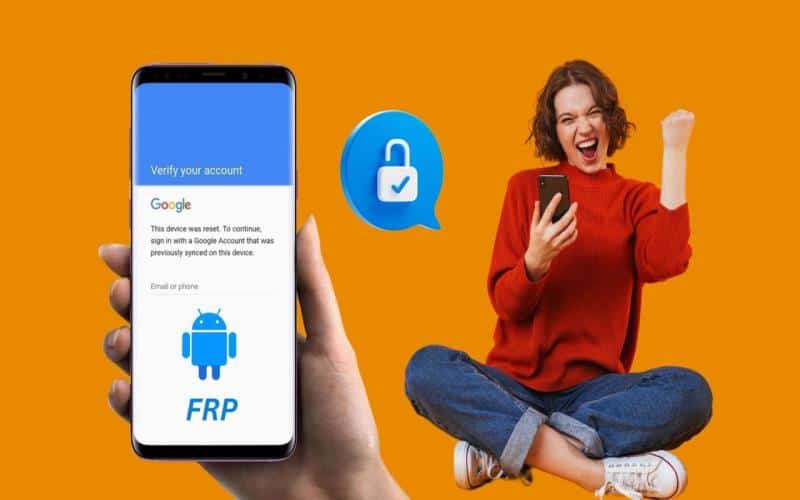
Factory Reset Protection (FRP) is a security feature on Android devices that prevents unauthorized access after a factory reset. FRP locks require the original Google account credentials associated with the device to unlock it. While this protects data in cases of loss or theft, it can create problems if you forget your Google credentials or buy a second-hand phone without the previous owner’s information.
Dr.Fone’s FRP Bypass solution offers an easy way to access your Android if you’re locked out. This feature doesn’t require technical knowledge, allowing users to bypass the FRP lock and regain full control over their device in a few simple steps.
Using Dr.Fone for Android Unlock
Dr.Fone provides a straightforward process for Android unlock, designed to help users bypass FRP and other screen locks. Here’s how it works:
Launch Dr.Fone and Connect Your Device: Install Dr.Fone on your computer, then open the “Screen Unlock” function. Connect your locked Android phone via a USB cable, ensuring it’s also connected to Wi-Fi.
Select FRP Bypass: Choose the “Remove Google FRP Lock” option from the menu. Dr.Fone supports multiple Android versions and brands, including Samsung, Xiaomi, and OPPO, making it versatile for various device models.
Follow the Guided Steps: Dr.Fone will guide you through enabling USB Debugging and other settings if needed. Once set up, the software will bypass the FRP lock, granting you unrestricted access to the device in minutes.
This bypass FRP process is available on a range of Samsung models and Android OS versions. Users who forget their Google login or purchase second-hand devices can regain access without needing the previous account information.
Repairing Android System Issues with Dr.Fone
Apart from unlocking, Dr.Fone also features a System Repair tool, ideal for resolving common Android software issues like boot loops, black screens, crashing apps, and bricked devices. The System Repair function helps fix these problems without complicated technical steps.
Key Steps for System Repair:
Open System Repair: Select “System Repair” on Dr.Fone’s main screen and connect your Android phone.
Download Firmware: Dr.Fone will detect your device model and download the necessary firmware automatically. This firmware is crucial for repairing system files and restoring normal functionality.
Repair and Reboot: Follow the simple on-screen instructions as Dr.Fone repairs your device’s software. Once the process is complete, your phone should restart without previous issues.
This function is beneficial for users experiencing persistent system problems, as it can troubleshoot and resolve issues quickly, restoring the device to working order. With support for over 2000 Android models, including Samsung’s Galaxy series, Dr.Fone’s System Repair provides a reliable solution for most Android problems.
Benefits of Using Dr.Fone
- Ease of Use: Dr.Fone is beginner-friendly, making it accessible to users without technical knowledge. The clear instructions and intuitive design simplify complex repairs and unlock procedures.
- Device Compatibility: From Samsung and Xiaomi to LG and OPPO, Dr.Fone supports a wide range of Android devices and OS versions.
- No Data Loss: For some models, particularly Samsung and LG, Dr.Fone offers unlock methods that retain data, helping you bypass the lock screen without losing important files.
- Quick Process: Both unlocking and repair functions are typically completed within minutes, saving users time and the need for external repair services.
Final Thoughts
Wondershare Dr.Fone is a comprehensive tool for Android users facing system issues or lock screen challenges. With the Android Unlock and System Repair features, it offers solutions to unlock FRP-protected devices and repair software errors in a few simple steps. Dr.Fone combines ease of use, versatility, and reliability, making it a valuable tool for Android users needing quick and effective repairs.
